
Mainboard X99 TF - 3090 Ti - Single Core - Proxmox Installation Hang - Bios Settings
Bought My GPU Proxmox Sever with Chinese X99 TF Mainboard 2 and RTX 3090 24GB

Host OS: Proxmox VE
| Component | Specification | Warranty | Price |
|---|---|---|---|
| Motherboard | Huananzhi X99-TF (Brand New) | 1 Year | 2,850,000 VND |
| CPU | Intel Xeon E5-2696 v4 (22 Cores / 44 Threads) | 1 Year | 1,600,000 VND |
| CPU Cooler | Jonsbo Tower Air Cooler (4 Copper Heat Pipes) | 1 Year | 290,000 VND |
| Memory | 128GB DDR4 ECC Registered (4 × 32GB Samsung, 2666MHz) | 1 Year | 14,000,000 VND |
| Power Supply | Cooler Master V1300 Platinum V2 (1300W, 80+ Platinum) | 5 Years | 7,800,000 VND |
| Case | Open-Air Test Bench / Open Frame Case | — | 800,000 VND |
| Cooling Fans | 3 × MSI 120mm Fans | — | 360,000 VND |
| Graphics Cards | 2 × NVIDIA GeForce RTX 3090 (24GB each) | 3 Months | 50,200,000 VND |
| TOTAL | GPU Workstation | 1 Year | 77,900,000 VND |
Hardware Summary
- CPU: Intel Xeon E5-2696 v4 (22C / 44T)
- Memory: 128GB ECC Registered DDR4-2666
- GPU: 2 × NVIDIA RTX 3090 (48GB total VRAM)
- PSU: 1300W 80+ Platinum
- Platform: Huananzhi X99-TF
- Hypervisor: Proxmox VE
- Use Cases:
- GPU Passthrough
- AI/LLM Inference
- Virtual Machines
- Docker & Kubernetes
- Development Environment
- Homelab & Self-Hosting
Estimated Total Hardware Cost: ≈ 65.3 million VND (excluding storage devices).
ERROR when i setting up proxmox server with the mainboard x99 TF
Troubleshoot the error:

Welcome to the Proxmox VE 8.0 installer initial setup startup mounting proc filesystem mounting sys filesystem EFI boot mode detected, mounting efivars filesystem

boot commandline: BOOT_IMAGE=/boot/linux26 ro ramdisk_size=16777216 rw quiet splash=silent

loading drivers nvidiafb nvme mac_hid wmi i2c_i801 ehci_pci xhci_pci efi_pstore serio_raw psmouse pcspkr intel_cstate rapl aesni_intel sha512_ssse3 ghash_clmulni_intel polyval_clmulni crc32_pclmul crct10dif_pclmul kvm_intel intel_powerclamp x86_pkg_temp_thermal intel_uncore_frequency intel_rapl_common
My Conclusion of this error is because i have 2 GPU setup and the proxmox server 8.2 require some gpu drivers to continue, thats why we need to try nomodeset.
Good Info to do the fix:
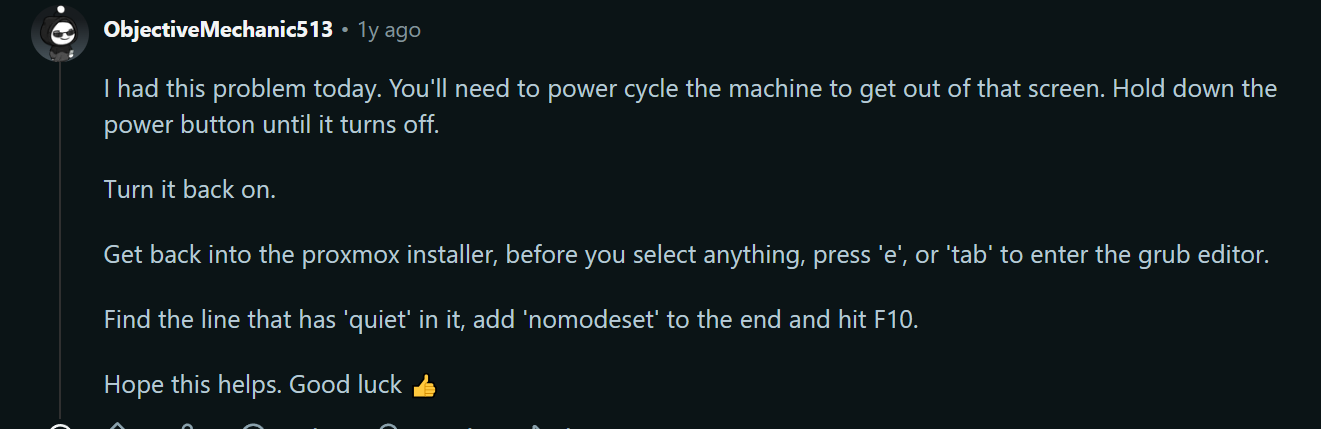
I had this problem today. You'll need to power cycle the machine to get out of that screen. Hold down the power button until it turns off. Turn it back on. Get back into the proxmox installer, before you select anything, press 'e', or 'tab' to enter the grub editor. Find the line that has 'quiet' in it, add 'nomodeset' to the end and hit F10. Hope this helps.
Ref: Nomodeset doc on Proxmox VE Administration Guide
BIOS settings
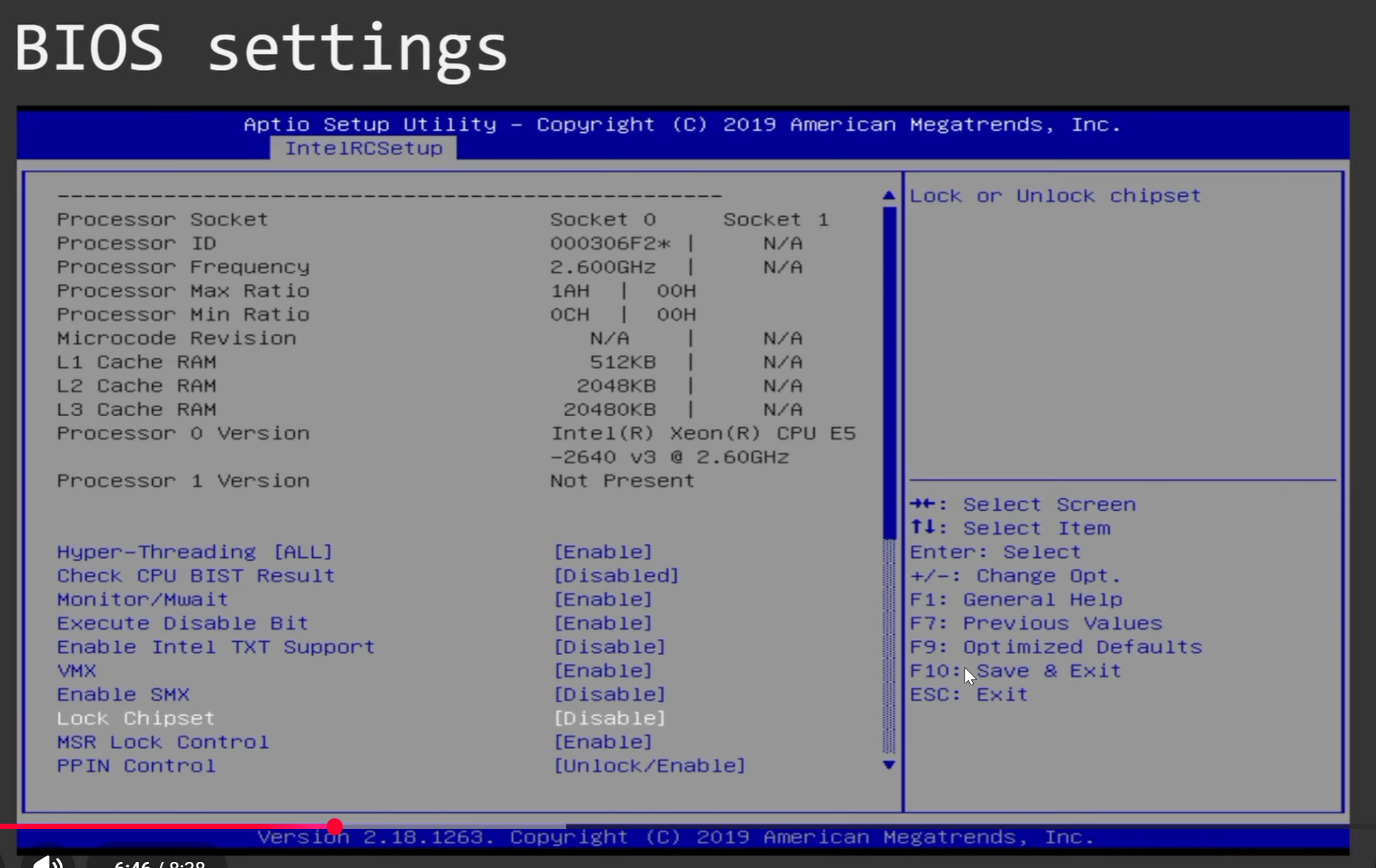
Lock Chipset -> Disable